
The Bambu Lab P2S Combo is the better printer for most people buying new in 2026, but the P1S Combo is far from obsolete. The P2S keeps the same useful 256 × 256 × 256 mm build volume while adding a much better touchscreen, stronger extrusion system, automatic flow calibration, smarter cooling, AI print monitoring, a better camera, easier nozzle swaps and—on the Amazon Combo—the newer AMS 2 Pro.
The P1S has one very important argument in its favor: it is already a proven workhorse. If you find the P1S Combo substantially cheaper and mainly want reliable PLA, PETG, ABS or ASA printing, you may be paying for P2S conveniences rather than dramatically different finished parts.
Quick verdict:
Buying your first enclosed Bambu Combo today? Get the P2S Combo unless the P1S is heavily discounted.
Want the best value and do not care about the newest screen, camera and sensors? The P1S Combo remains excellent.
Already own a P1S? Keep it unless the AMS 2 Pro, hardened toolhead, quick-swap nozzle, better monitoring and newer interface solve problems you actually have. The P2S does not give you a larger print area.
This post contains affiliate links. As an Amazon Associate, we earn from qualifying purchases. This support helps us test more printers, materials, and tools so we can give you real, experience-based recommendations.

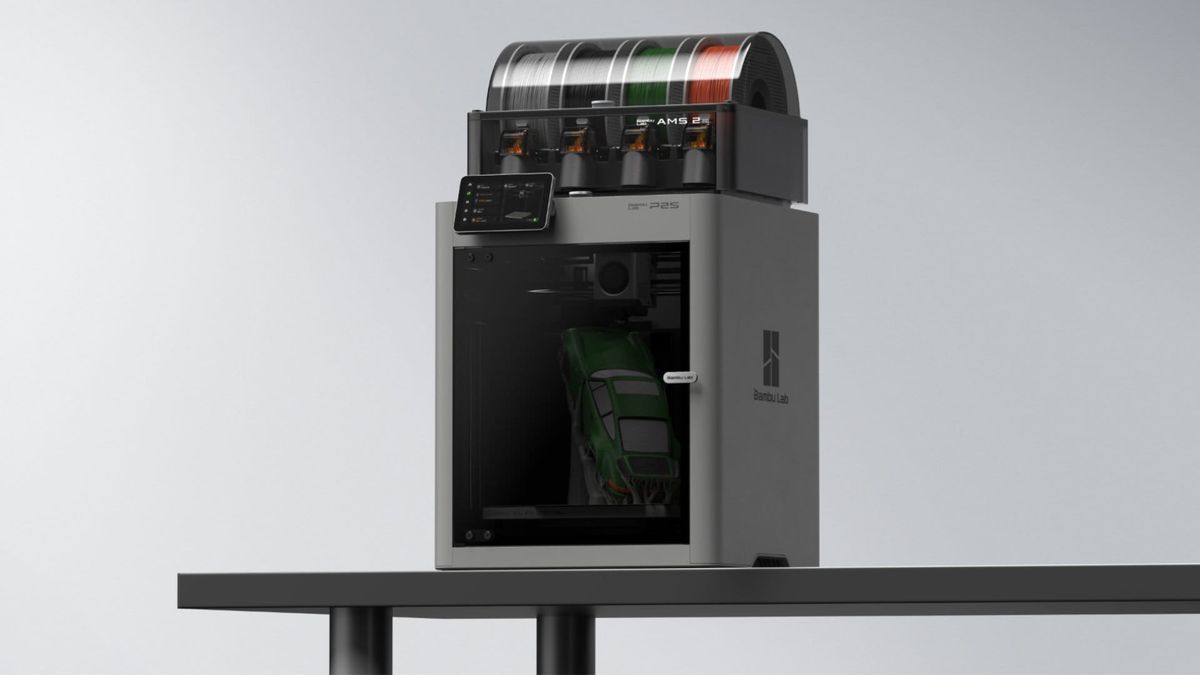
Important Amazon Combo difference: The P1S Combo linked in this comparison is the established Amazon package with the original Bambu AMS. The P2S Combo Amazon listing includes the newer AMS 2 Pro. Bambu also sells other P1S/AMS configurations through its own store, so always check exactly which AMS is included before buying.
Bambu Lab P1S vs P2S: Quick Comparison
| Feature | Bambu Lab P1S Combo | Bambu Lab P2S Combo |
|---|---|---|
| Build volume | 256 × 256 × 256 mm | 256 × 256 × 256 mm |
| Motion system | CoreXY | CoreXY |
| Advertised max speed | Up to 500 mm/s | Up to about 600 mm/s |
| Maximum nozzle temperature | 300°C | 300°C |
| Maximum bed temperature | 100°C | 110°C |
| Stock nozzle | 0.4 mm stainless steel | 0.4 mm hardened steel |
| Extruder | Direct-drive extruder | DynaSense / PMSM servo extruder |
| Flow calibration | Standard P1-series calibration workflow | Automatic flow dynamics calibration |
| Display | Small button-controlled LCD | 5-inch color touchscreen |
| Camera | 720p low-rate camera | 1080p high-rate camera |
| AI print detection | Limited | Spaghetti, blobs, air printing and setup checks |
| Cooling | Enclosed chamber with auxiliary/chamber fans | Adaptive Airflow system |
| Hotend changes | Traditional P1-series hotend replacement | One-clip quick-swap hotend |
| Amazon Combo filament system | Original AMS | AMS 2 Pro |
| Active filament drying | No active heating in original AMS | Up to 65°C drying with AMS 2 Pro |
| Best reason to buy | Proven reliability and value | Better overall user experience and newer hardware |
The Biggest Surprise: The P2S Is Not Bigger
If you were expecting the P2S to replace the P1S with a larger print area, it does not.
Both printers offer the familiar 256 × 256 × 256 mm build volume. That is large enough for most household parts, organizers, functional prototypes, toys, educational projects and medium-size models, but moving from a P1S to a P2S will not suddenly let you print substantially larger objects.
This is important because the P2S is primarily a quality-of-life and reliability upgrade.
You are paying for better extrusion control, sensing, monitoring, cooling, material management and day-to-day interaction—not extra cubic millimeters.
If build volume is your main limitation, neither printer solves that problem. You should be looking at a larger-format machine instead.
P2S Has a Much Better Control Experience
This may sound cosmetic until you use a printer regularly.
The P1S uses a small monochrome display with physical controls. It works, and most experienced P1S owners eventually do much of their work through Bambu Studio or the Bambu Handy app anyway.
The P2S replaces that setup with a 5-inch color touchscreen running Bambu’s newer interface.
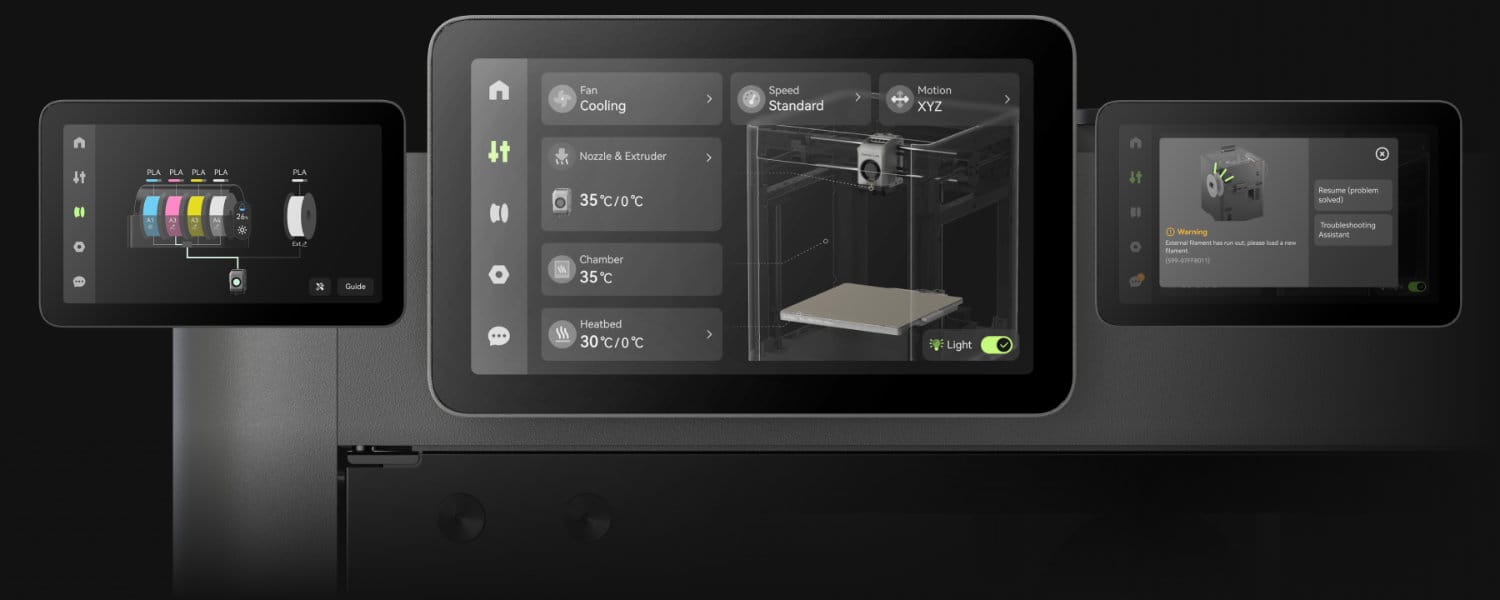
For beginners especially, this is a real improvement. Filament information, temperatures, printer status and troubleshooting messages are simply easier to understand when the printer can actually show you what is happening.
It also makes the P2S feel much less dependent on your phone.
If you already own a P1S and rarely touch its control panel, however, this upgrade alone is absolutely not a reason to replace the printer.
Extrusion and Calibration: This Is Where the P2S Gets More Serious
The P1S is already capable of extremely good prints, which is why it has remained relevant years after launch.
The P2S improves the machinery responsible for making those prints repeatable.
Bambu’s newer DynaSense/PMSM servo extruder can deliver up to 8.5 kg of extrusion force. Bambu says that is about 70% more than the preceding system. The printer also monitors motor resistance and position to help identify grinding and clogs.
More importantly, an eddy-current pressure sensor allows the P2S to perform automatic flow dynamics calibration.
That means there is another layer of calibration happening before filament reaches your finished part.
Does that mean a good P1S print suddenly looks bad next to a P2S print?
No.
That would seriously undersell how good the P1S already is.
The advantage is greater confidence across different filaments, flow rates and long-term use. The P2S is designed to notice and compensate for more things before they become failed prints.
P1S vs P2S Print Speed
The P1S is already a genuinely fast CoreXY printer, with Bambu specifying a maximum toolhead speed of 500 mm/s and up to 20,000 mm/s² acceleration.
The P2S pushes the platform further, with published testing and specifications putting its peak speed around 600 mm/s.
Do not choose between these printers based on the 100 mm/s headline difference alone.
Maximum movement speed is not the same thing as real-world print time. Geometry, acceleration, layer height, material, nozzle flow and cooling all matter.
If speed is a major priority, your nozzle choice can matter just as much as the printer. Our nozzle size vs print speed guide explains why moving from a 0.4 mm to 0.6 mm nozzle can sometimes save more time than chasing a higher motion-speed number.
AMS vs AMS 2 Pro May Be the Biggest Combo Upgrade
This is where comparing the Combos gets more interesting than comparing the printers alone.
The established Amazon P1S Combo uses Bambu’s original AMS. It remains a very capable four-spool automatic filament system and enables multicolor and multi-material workflows.
The P2S Combo includes the newer AMS 2 Pro.
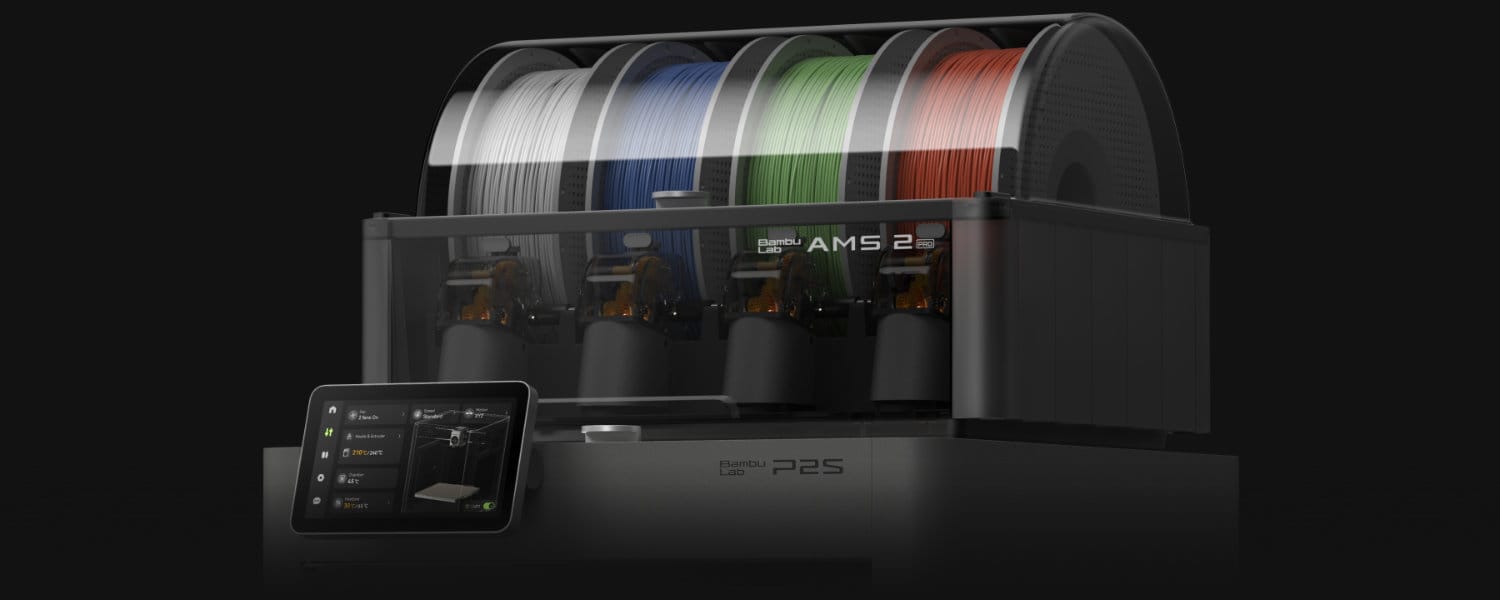
The original AMS primarily functions as a sealed filament-management and storage system with desiccant.
AMS 2 Pro adds active filament drying up to 65°C, active venting, newer feeding hardware and improved service access.
That matters most if you print PETG, nylon or other moisture-sensitive materials—or simply live somewhere where filament tends to pick up moisture between prints.
It does not eliminate the usefulness of a dedicated dryer in every situation. If filament moisture is a recurring problem, see our best filament dryer guide and our filament dryer vs dry box comparison.
But as part of a printer package, the AMS 2 Pro is a much more useful material-management system than the original AMS.
One limitation remains: multicolor printing on both systems still creates purge waste because both printers use a single nozzle. AMS 2 Pro improves filament handling; it does not turn the P2S into a multi-toolhead printer.
P2S Is Better Equipped for Abrasive Filaments
The P1S ships with a stainless-steel nozzle, and Bambu specifically does not recommend fiber-reinforced polymers with the stock configuration.
You can upgrade a P1S with hardened components, so this is not a permanent limitation.
The P2S starts farther ahead.
Its stock hardened-steel nozzle and upgraded extrusion hardware make it a better out-of-box choice if carbon-fiber or glass-fiber-filled filaments are part of your plans.
For the person who mostly prints PLA and PETG, this probably changes nothing.
For functional printing, fixtures, shop parts or engineering projects, it matters considerably more.
Cooling: P2S Fixes One of the Weird Parts of Enclosed PLA Printing
Owners of enclosed printers eventually learn something counterintuitive: an enclosure is useful, but you do not always want the chamber hot.
PLA in particular can benefit from cooler chamber conditions.
The P2S introduces Bambu’s Adaptive Airflow system. For lower-temperature materials it can pull cooler outside air into the cooling system, allowing the printer to stay physically closed while controlling chamber conditions more effectively.
For materials that benefit from warmth, internal flaps change the airflow strategy to retain more heat and route exhaust through filtration.
That makes the enclosure more intelligent rather than simply more sealed.
There is an important limitation: the P2S does not have an actively heated chamber. Its heated bed and airflow management can warm and stabilize the enclosure, but this is not the same thing as the actively heated chambers found on some higher-end engineering printers.
Camera and AI Monitoring: Huge Advantage for P2S
The P1S camera has always felt like a compromise.
It is useful for checking whether the printer is still alive and for basic time-lapse functions, but Bambu specifies it as a 1280 × 720 low-rate camera running at roughly 0.5 fps.
The P2S jumps to a 1080p high-rate camera with improved lighting.
More importantly, the camera is now part of the printer’s error-detection system.
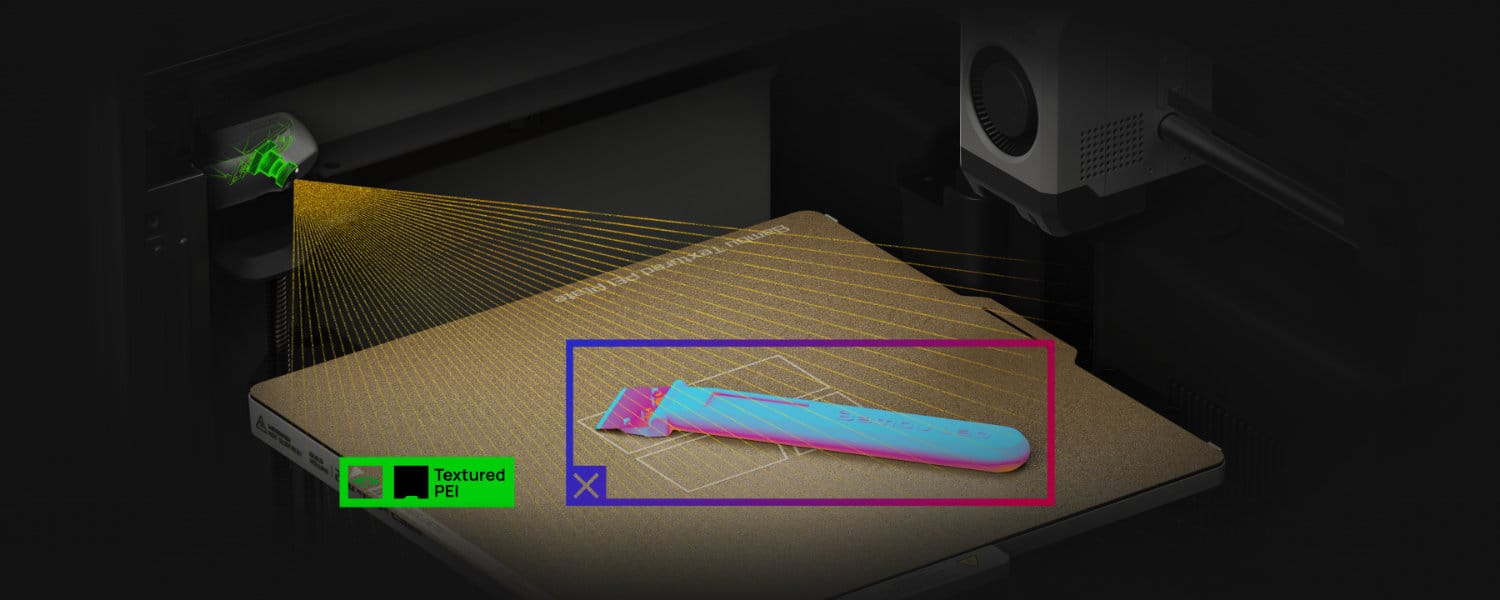
Bambu says the P2S can detect problems including spaghetti failures, nozzle blobs and air printing. It can also cross-check the installed build plate and nozzle against the selected print settings.
That is exactly the kind of feature that does not make a perfect print prettier—but can save an entire spool and several hours when something goes wrong.
For remote monitoring, homeschool use, print farms or anyone who regularly starts long prints and walks away, this is one of the P2S’s strongest upgrades.
The Quick-Swap Hotend Is Better Than It Sounds
On the P1S, nozzle and hotend changes are possible, but they feel more like maintenance.
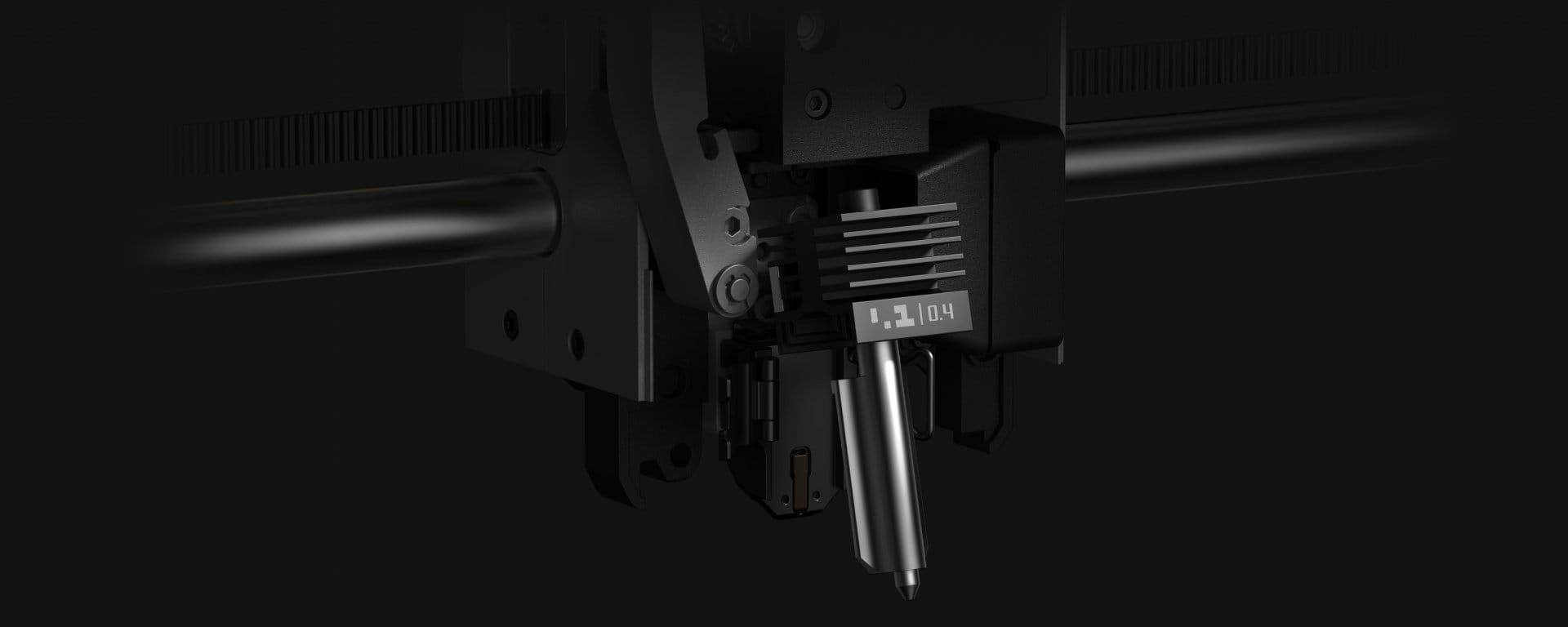
The P2S adopts Bambu’s newer quick-swap design. A single clip releases the nozzle and heatsink assembly without requiring the same wiring work.
If you never change nozzle sizes, this barely matters.
If you regularly move between a 0.2 mm nozzle for small detail, 0.4 mm for everyday use and 0.6 or 0.8 mm for fast functional parts, it is one of those upgrades that makes you more likely to actually use the hardware you bought.
For help choosing between them, see our full 3D printing nozzle guide.
Does the P2S Actually Print Better Than the P1S?
Sometimes—but that is not the best way to think about this comparison.
A properly operating P1S can already produce excellent parts. It remains one of the machines we recommend when someone wants to print rather than spend all weekend tuning a printer.
You can read our full Bambu Lab P1S review for a deeper look at why it has stayed relevant.
The P2S improves the systems surrounding the print:
- more sophisticated extrusion monitoring,
- automatic flow calibration,
- better cooling management,
- more capable error detection,
- better visibility,
- stronger stock wear components,
- and easier nozzle changes.
The result is not necessarily that every Benchy suddenly looks dramatically better.
The result is that the printer has more tools to keep quality consistent and stop problems before they waste time and material.
Which Is Better for Beginners?
P2S wins.
Both machines are far easier to start with than older generations of enthusiast 3D printers, but the P2S’s touchscreen, automatic flow calibration, AI monitoring and clearer on-printer troubleshooting make an already approachable platform easier to understand.
If budget is the biggest consideration, however, the P1S remains one of the strongest ways to get an enclosed CoreXY machine without paying for every newest convenience.
For more first-printer options, see our best 3D printers for beginners guide.
Which Is Better for Homeschool?
The P2S is technically the easier and more capable machine, but this is one category where the P1S still makes a particularly strong case.
We already use and recommend the P1S platform in our homeschool 3D-printing work because it combines an enclosure, useful build volume, automation and multicolor capability without forcing a parent to become the household printer technician.
If buying new and the P2S fits the budget, its improved screen and failure detection are especially useful in a teaching environment.
If you already own a P1S, however, there is little educational reason to replace it. The actual 256 mm cube build area is unchanged.
See our full best 3D printer for homeschool families guide for more family-oriented recommendations and safety considerations.
Who Should Buy the P1S Combo?
Choose the Bambu Lab P1S Combo if:
You want a proven enclosed CoreXY printer, care more about print reliability than having the newest interface, and can get the older machine at a meaningfully lower total cost.
Best for: value-conscious buyers, existing Bambu users, straightforward PLA/PETG/ABS/ASA printing and people who do not care about sophisticated on-printer controls.
Skip it if: you specifically want active filament drying in the Combo, advanced AI monitoring, hardened stock hardware or easy nozzle swapping.
Worth it if: the savings over the P2S are large enough that you would rather spend the difference on filament, extra build plates or other equipment.
Who Should Buy the P2S Combo?
Choose the Bambu Lab P2S Combo if:
You are buying a new enclosed Bambu printer and want the platform’s best balance of capability, automation and usability without moving into Bambu’s much more expensive flagship machines.
Best for: new buyers, multicolor users, households and classrooms, frequent nozzle changes, remote monitoring, abrasive filaments and anyone who values fewer manual checks.
Skip it if: you already own a perfectly good P1S and none of its limitations bother you.
Worth it if: you want AMS 2 Pro, better monitoring, newer calibration systems and a more refined daily workflow.
Should Existing P1S Owners Upgrade to the P2S?
For most P1S owners: no.
The P2S is clearly better hardware, but the P1S did not suddenly stop being good because its successor arrived.
Bambu Lab has also specifically said that the P1S is continuing in production and is not being phased out in the foreseeable future.
You are keeping the same 256 × 256 × 256 mm print volume and a fundamentally similar single-nozzle enclosed CoreXY workflow.
An upgrade makes more sense if several of these apply to you:
- you frequently fight filament moisture and want AMS 2 Pro,
- you want hardened stock hardware for abrasive materials,
- you change nozzle sizes regularly,
- you depend heavily on remote monitoring,
- you want AI failure detection,
- you dislike the P1S control screen,
- or printer downtime is expensive enough that better sensing matters.
If you mainly print PLA or PETG, your P1S is reliable, and you already have a working material-management setup, keep printing.
Bambu Lab P1S vs P2S Combo: Final Verdict
The P2S Combo is the machine I would choose if buying new today.
It does not reinvent what made the P1S successful. It fixes and modernizes the areas where the P1S had started to show its age.
The same-sized CoreXY platform gets a much better touchscreen, stronger and smarter extrusion system, automatic flow calibration, adaptive cooling, AI monitoring, a genuinely useful camera, quick-swap nozzles, hardened stock hardware and the AMS 2 Pro in the Combo.
That is a meaningful upgrade.
But the P1S remains the value wildcard.
If you find the P1S Combo substantially cheaper, do not assume you are settling for a bad printer. You are buying an older control and sensing platform wrapped around a mechanical system that has already proven itself in homes, workshops and print farms.
Our recommendation:
🏆 Best overall: Bambu Lab P2S Combo — buy this if you are starting fresh and want the more complete 2026 experience.
💰 Best value: Bambu Lab P1S Combo — buy this when the price difference is significant and the newer convenience features are not important to you.
♻️ Already own a P1S? Keep it unless you can clearly name which P2S upgrade will improve your actual workflow.
Bambu Lab P1S vs P2S FAQ
Is the Bambu Lab P2S better than the P1S?
Yes. The P2S is the more advanced machine overall, adding a 5-inch touchscreen, DynaSense servo extruder, automatic flow calibration, Adaptive Airflow, AI failure detection, a 1080p camera, quick-swap hotend and hardened stock nozzle. The P1S can still be the better value when it costs substantially less.
Does the P2S have a larger build volume than the P1S?
No. Both printers have a 256 × 256 × 256 mm build volume. If you are upgrading specifically because you need larger prints, the P2S does not solve that problem.
What is the difference between the P1S Combo and P2S Combo?
The printer itself is newer on the P2S Combo, but the filament system is also different on the Amazon packages linked here. The P1S Combo includes the original AMS, while the P2S Combo includes the newer AMS 2 Pro with active filament drying and updated feeding hardware.
Does the P2S have an actively heated chamber?
No. The P2S uses its heated bed plus Adaptive Airflow to manage and retain chamber heat, but it does not have a dedicated active chamber heater.
Is the P1S discontinued?
No. Bambu Lab has explicitly stated that the introduction of the P2S does not discontinue the P1S and that the P1S will remain available and supported.
Should I upgrade from a P1S to a P2S?
Probably not if your P1S already does what you need. The upgrade makes more sense for owners who specifically want better monitoring, AMS 2 Pro drying, easier nozzle changes, hardened stock hardware, automatic flow calibration or the newer touchscreen and AI systems.
Which one is better for multicolor printing?
The P2S Combo has the advantage because it includes AMS 2 Pro on the Amazon configuration linked here. Both still use a single nozzle, however, so multicolor prints require filament changes and purging.
Suggested Complimentary Reading
- Bambu Lab P1S Review: The Printer for People Who Want to Print, Not Tinker
- Best 3D Printer for Beginners in 2026
- Best 3D Printer for Homeschool Families
- Bambu Lab P1S vs Creality K1C
- Nozzle Size vs Speed: Which Nozzle Prints Faster?
- Everything You Need to Know About 3D Printing Nozzles
- Best Filament Dryer for 3D Printing
Editorial Sources
Specifications and product-feature information were checked against Bambu Lab’s official P1S documentation and official P2S launch materials. Independent P2S testing was cross-checked against Tom’s Hardware and TechRadar Pro. Amazon Combo contents were checked against the current U.S. Amazon product listings.
Bambu Lab P1S official product information
Bambu Lab P2S official launch information
Bambu Lab AMS 2 Pro
Tom’s Hardware P2S review
TechRadar Pro P2S review
Last updated: September 2, 2026.