
The best 3D printer for beginners is the one that gets you to a clean first print with the least frustration. For most people, that means a printer with automatic bed leveling, simple setup, reliable first-layer performance, and strong community support.
A beginner printer should be easy to start with, but it also should not become annoying a month later. That is why this list favors printers that are approachable now and still useful after you learn the basics.
This post contains affiliate links. As an Amazon Associate, I earn from qualifying purchases. This support helps us test more printers, materials, and tools so we can give you real, experience-based recommendations.
Quick answer
Here is the fast version:
- Best overall: Bambu Lab P1S
- Best for easy multicolor: Bambu Lab A1
- Best budget choice: Ender 3 V3 SE
- Best fast CoreXY option: Flashforge Adventurer 5M
- Best value high-speed printer: Creality K1C
- Best for very large prints: Anycubic Kobra 3 Max
- Budget option to price-check: Elegoo Neptune 4
Here is a cheat sheet for making the two most important decisions, print speed and build volume. Bigger build volumes for things like cosplay helmet and smaller for things like miniatures or even just to reduce budget requirements.
Quick Picks: Best Beginner 3D Printers
| Printer | Best For | Speed | Build Volume (mm x mm x mm) |
|---|---|---|---|
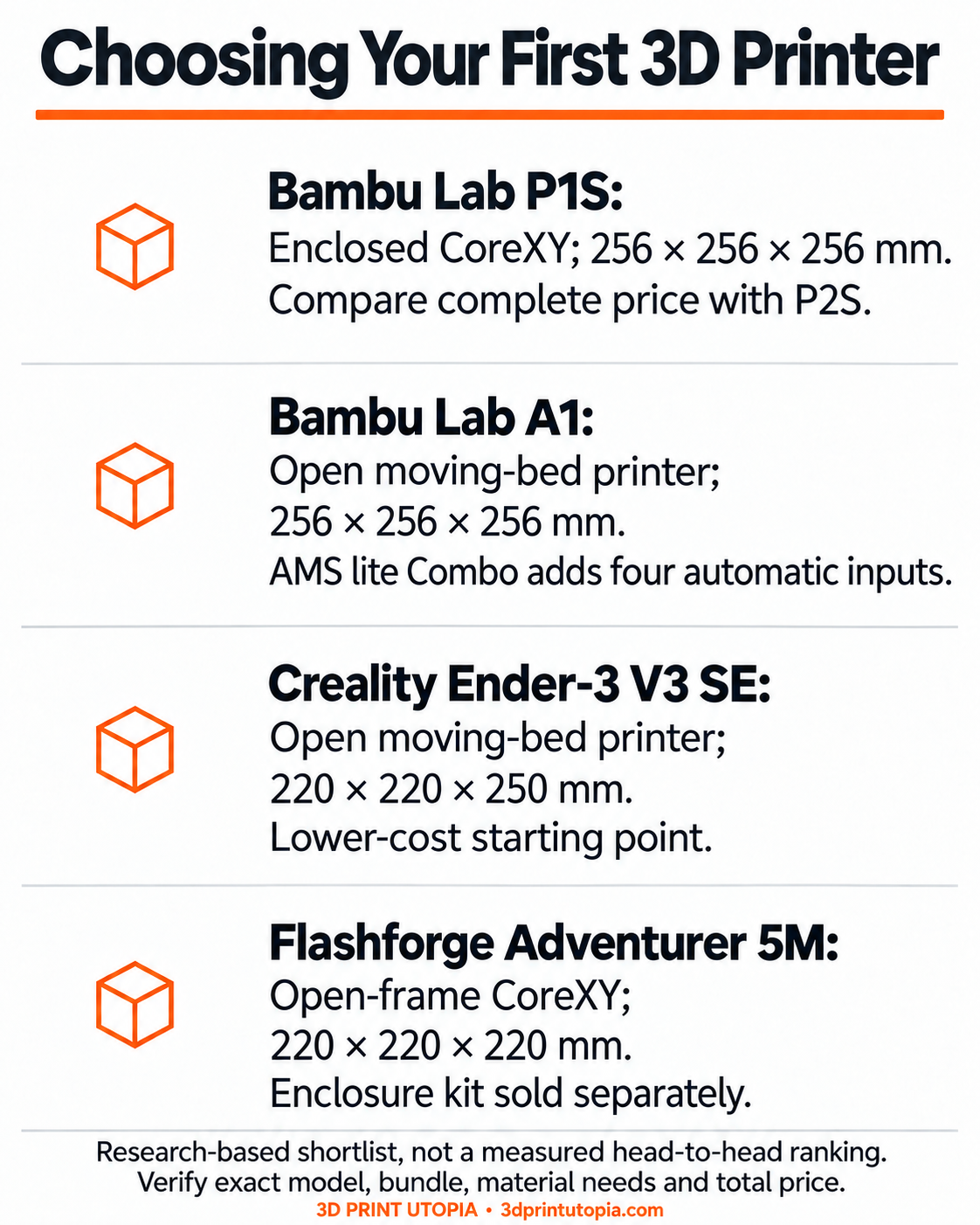
| Bambu Lab P1S | Best beginner printer overall | 500 mm/s | 256×256×256 |
| Bambu Lab A1 | Best beginner multicolor printer | 500 mm/s | 256×256×256 |
| Creality Ender 3 V3 SE | Best budget beginner printer | 250 mm/s | 220×220×250 |
| Flashforge Adventurer 5M | Fast beginner CoreXY printer | 600 mm/s | 220×220×220 |
| Creality K1C | Best value starter printer | 600 mm/s | 220×220×250 |
| Anycubic Kobra 3 Max | Largest print volume | 600 mm/s | 420×420×500 |
| Elegoo Neptune 4 | Budget option; verify availability | Up to 500 mm/s advertised | 225×225×265 |
What makes a good beginner 3D printer?
A good beginner printer should remove as many failure points as possible.
That usually means:
- automatic bed leveling
- stable motion system
- easy filament loading
- simple slicer setup
- good first-layer reliability
- decent support ecosystem
A printer does not need to be the cheapest to be beginner friendly.
In fact, a printer that costs a little more but saves hours of failed prints is often the better beginner machine.
How to choose the right beginner printer
Before looking at models, ask these three questions:
1. What is your budget?
This narrows the field fast.
If you want to spend less, you are usually trading away some speed, convenience, or enclosure features.
2. Do you want speed or simplicity first?
Some printers are easy and fast. Some are easy but slower. Some are fast but slightly more expensive.
3. Do you want a printer you can grow into?
This matters more than people think.
A true beginner printer should be easy on day one, but it should also still feel useful after the learning phase.
The best 3D printers for beginners
1. Bambu Lab P1S — Best overall beginner printer
The Bambu Lab P1S is the best overall beginner printer if your budget allows it.

Why it stands out:
- very beginner-friendly automation
- enclosed design
- strong print consistency
- fast CoreXY motion system
- easy path into more advanced materials later
It is not the cheapest beginner option. However, it is one of the easiest printers to recommend because it removes a lot of the usual beginner pain.
Best for: beginners who want the easiest long-term buy
Skip if: you need the lowest entry price
Worth it if: you want a printer you are unlikely to outgrow quickly
2. Bambu Lab A1 — Best beginner multicolor printer
The Bambu Lab A1 is one of the easiest beginner printers to like.
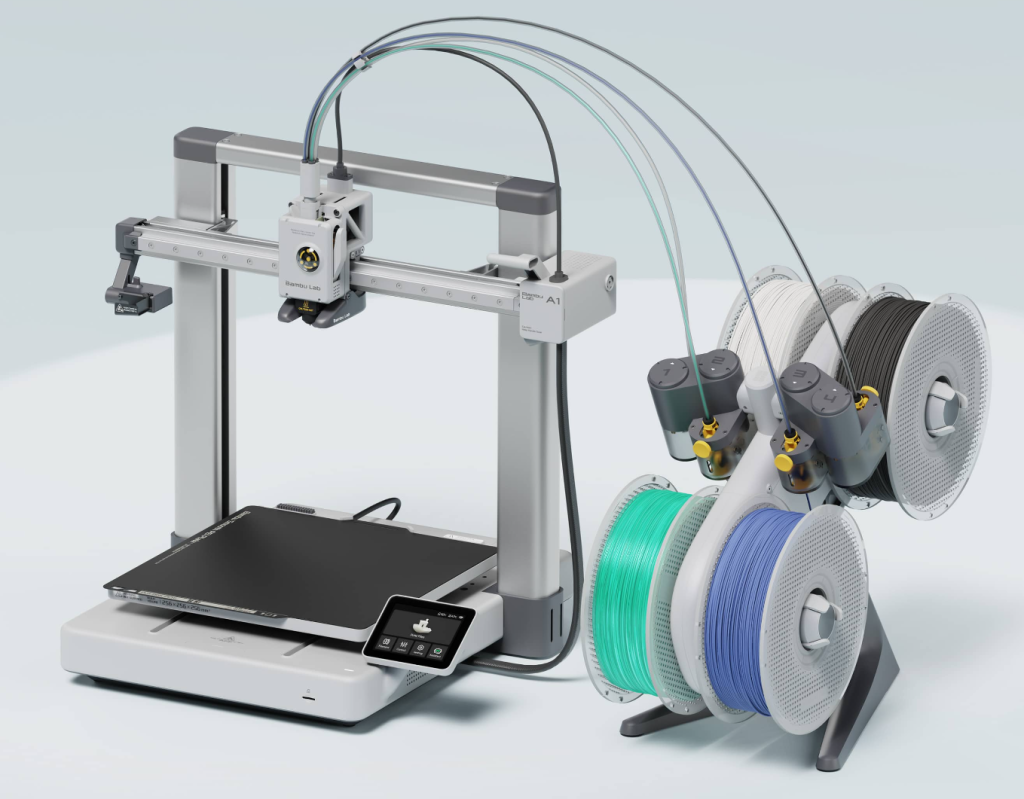
It is approachable, modern, and very attractive for people who want easier multicolor printing.
Why it works well:
- simple setup
- strong ease-of-use
- AMS Lite compatibility for multicolor
- beginner-friendly ecosystem
- clean print quality
This is a very good option if you want something modern and easy without stepping up to the P1S.
Best for: beginners who want easy printing and optional multicolor
Skip if: you specifically want an enclosed printer
Worth it if: you want a polished beginner experience
If you are already comparing multicolor setups, the Anycubic Kobra 4 Combo buyer guide covers another option. Multicolor is optional for beginners; check the exact Combo bundle and current price rather than assuming the launch offer still applies.
3. Creality Ender 3 V3 SE — Best budget beginner printer
The Ender 3 V3 SE is the best budget choice for most beginners.

It keeps the familiar Ender name but removes some of the older beginner pain by adding more helpful modern features.
Why it makes sense:
- lower entry price
- automatic bed leveling
- automatic Z offset
- simple setup
- large community and support base
This is the easiest recommendation for someone who wants to get started without spending too much.
Best for: budget-conscious beginners
Skip if: you want the fastest machine possible
Worth it if: you want the best entry point for the money
4. Flashforge Adventurer 5M — Best fast beginner CoreXY printer
The Flashforge Adventurer 5M is a strong beginner option for people who already know they care about speed. The base Adventurer 5M is open-frame; an enclosure kit is sold separately.

It uses a CoreXY motion system, which is one reason it stands out from more traditional bed-slinger options.
Why it stands out:
- faster print speeds
- stable motion design
- quick-swap nozzle system
- relatively simple beginner setup
This is a smart pick for someone who wants a faster-feeling machine without jumping immediately into a more demanding enthusiast setup.
Best for: beginners who want speed sooner
Skip if: you only care about the lowest price
Worth it if: you want a faster beginner printer with less compromise
5. Creality K1C — Best value high-speed printer
The Creality K1C is a good value choice for someone who wants high-speed printing and a more advanced-feeling machine without spending P1S money.

Why people consider it:
- fast CoreXY design
- enclosed build
- stronger material potential
- good speed-focused value
This printer makes more sense for the beginner who wants room to grow and likes the idea of a more performance-focused machine.
Best for: value-focused buyers who want speed and enclosure benefits
Skip if: simplicity matters more than performance
Worth it if: you want high-speed capability for the money
6. Anycubic Kobra 3 Max — Best large-build beginner printer
The Anycubic Kobra 3 Max is the beginner choice for people who know they want large prints.

That is a niche need, but it is a real one.
Why it works:
- very large build volume
- modern speed-focused design
- auto-leveling support
- better fit for bigger cosplay or utility parts
Large printers are not always the best first recommendation, but this one makes sense if print size is the priority from the start.
Best for: large-format beginners
Skip if: you do not actually need big prints
Worth it if: build volume is the deciding factor
If large projects are your priority, also check the Kobra 3 Max V2 specifications and buying checks. The V2 is a different generation from the Kobra 3 Max listed here; confirm the exact printer, bundle, current price, and availability before ordering.
7. Elegoo Neptune 4 — A budget option to price-check
The Elegoo Neptune 4 has a 225 × 225 × 265 mm build volume. It is a budget option to price-check, but it is not the 320 × 320 × 385 mm Neptune 4 Plus. Confirm the exact listing, condition, support and delivered price before choosing it.

Why it makes sense:
- 225 × 225 × 265 mm build area
- strong value
- decent performance for the price
- approachable for beginners with a little patience
Choose it only when its actual build area fits your projects and the current supported offer makes sense. Do not buy it expecting the larger Neptune 4 Plus dimensions.
Best for: buyers whose parts fit its 225 × 225 × 265 mm area
Skip if: you want the cleanest “just works” experience possible
Worth it if: you want more printer for the money
Quick table / cheat sheet
| Printer | Best For | Main Strength |
|---|---|---|
| Bambu Lab P1S | Best overall | Easiest long-term buy |
| Bambu Lab A1 | Multicolor beginners | Easy and polished |
| Ender 3 V3 SE | Budget beginners | Best low-cost entry |
| Adventurer 5M | Fast beginner CoreXY | Speed with simpler setup |
| Creality K1C | High-speed value | Fast enclosed option |
| Kobra 3 Max | Large prints | Big build volume |
| Neptune 4 | Budget option to price-check | Exact model, current support and delivered price |
Which beginner printer should you actually buy?
Here is the simple decision framework.
Buy the Bambu Lab P1S if:
- you want the best overall beginner experience
- you have room in the budget
- you want a printer you can keep using long term
Buy the Bambu Lab A1 if:
- you want beginner ease and optional multicolor
- you do not need an enclosed machine
- you want a polished user experience
Buy the Ender 3 V3 SE if:
- budget matters most
- you want the easiest lower-cost entry point
- you want broad community support
Buy the Adventurer 5M if:
- speed matters early
- you want a beginner-friendly CoreXY option
- you like the idea of faster printing without jumping all the way into enthusiast tuning
Buy the K1C if:
- you want high-speed value
- you want an enclosed printer
- you are comfortable with a slightly more performance-oriented machine
Buy the Kobra 3 Max if:
- you truly need large prints
- cosplay, big props, or oversized utility prints are part of the plan
Buy the Neptune 4 if:
- the 225 × 225 × 265 mm build area fits your parts and a current supported offer fits your budget
- you do not need the most polished premium ecosystem
Common beginner buying mistakes
Buying only on price
Cheap can get expensive fast if the printer becomes frustrating.
Buying for hype instead of fit
The “best” printer online is not always the best printer for your use.
Starting too advanced
A fast or feature-rich printer is only a good beginner pick if it is also manageable.
Ignoring size needs
Do not buy a giant printer if you mostly want small useful parts.
Ignoring the software experience
A beginner-friendly printer is not just hardware. The whole workflow matters.
What should beginners buy with the printer?
After the printer itself, the smartest next buys are usually:
- PLA filament
- a few basic tools
- a reliable build surface if needed
- only then extra accessories
You may also find these helpful:
- Best Fast CoreXY 3D Printers (2026 Guide)
- Bambu Lab P1S vs Creality K1C Comparison
- Best Hotend Upgrades for Your 3D Printer
Conclusion
The best 3D printer for beginners is not just the cheapest printer or the fastest printer.
It is the one that gets you printing successfully with the least frustration.
For most people, the Bambu Lab P1S is the best overall beginner printer if the budget works. The Bambu Lab A1 is a great easy-use option. The Ender 3 V3 SE remains the strongest budget pick. And if speed matters most, the Flashforge Adventurer 5M is one of the most appealing beginners CoreXY options.
Choose the printer that matches your budget, your patience, and the kind of parts you actually want to print.